Photonic design in dphox#
At a glance#
In this tutorial, the goal is to demonstrate how practical photonic devices can be designed efficiently in dphox.
Along the way, the following advantages will be highlighted:
Efficient raw
numpyimplementations for polygon and curve transformationsDependence on
`shapely<https://shapely.readthedocs.io/en/stable/manual.html>`__ in favor of`pyclipper<https://pypi.org/project/pyclipper/>`__ (less actively maintained).dphox.Curve~shapely.geometry.MultiLineStringdphox.Pattern~shapely.geometry.MultiPolygon
A simple implementation of GDS I/O
Uses
trimeshfor 3D viewing/export,blenderfigures at your fingertips!Plotting using
`holoviews<https://holoviews.org/>`__ and`bokeh<http://docs.bokeh.org/en/latest/>`__, allowing zoom in/out in a notebook.Prefabbed passive and active components and circuits such as gratings, interposers, MZIs and MZI meshes.
Future tutorials will cover the following:
More intuitive representation of GDS cell hierarchy (via
Device).Interface to photonic simulation (see our
simphoxandMEEPexamples).Inverse-designed devices may be incorporated via a
replacefunction.Read and interface with foundry PDKs automatically, even if provided via GDS.
Imports#
[1]:
import dphox as dp
import numpy as np
import holoviews as hv
from trimesh.transformations import rotation_matrix
hv.extension('bokeh')
import warnings
warnings.filterwarnings('ignore') # ignore shapely warnings


Waveguide crossing#
In this tutorial, we will design waveguide crossings while also understanding how geometries can be manipulated.
First let’s define a waveguide. Our goal is to rotate that same waveguide at the center to form a 90-degree crossing with four-way symmetry.
[2]:
taper = dp.cubic_taper(1, 1, 12.5, 5)
taper.hvplot()
[2]:
The ports of the taper waveguide are accessed as follows. Ports can be thought of has “reference poses,” where a pose includes a position (\(x, y\)) and orientation (angle \(a\)), and also contain information about the width. These ports are incredible important in any design flow, especially for routing, and also play a critical role in simulating waveguide-based devices since they define the mode-based source (the port can store height \(h\) and position \(z\) for a 3D application).
[3]:
taper.port
[3]:
{'a0': Port(x=0.0, y=0.0, a=-180.0, w=1.0, z=0, h=0, layer=<CommonLayer.PORT: 'port'>),
'b0': Port(x=12.5, y=-0.0, a=0.0, w=1.0, z=0, h=0, layer=<CommonLayer.PORT: 'port'>)}
One of dphox’s advantages is that it provides a convenient shapely interface. We can use shapely’s notebook __repr__ to quickly view any pattern by just accessing it:
[4]:
taper.shapely
[4]:
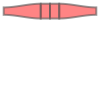
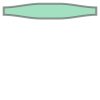
The shapely pattern is red because there are intersections in the pattern, namely shared boundaries. This makes it hard to do things like shapely boolean operations on the pattern due to self-intersections. To remedy this, we can apply a union to get rid of the shared patterns, resulting in a green preview. Note that now we have a
[5]:
taper.shapely_union
[5]:
Now let’s plot the 90-degree rotated waveguide about the origin. Note that we haven’t rotated the pattern about its center so it’s misaligned.
[6]:
misaligned_rotated_taper = taper.copy.rotate(90)
(misaligned_rotated_taper.hvplot(color='blue') * taper.hvplot()).opts(xlim=(-2, 14), ylim=(-2, 14))
[6]:
[7]:
aligned_rotated_taper = taper.copy.rotate(90, taper.center)
(misaligned_rotated_taper.hvplot('blue') * aligned_rotated_taper.hvplot(color='green') * taper.hvplot()).opts(xlim=(-2, 14), ylim=(-8, 8))
[7]:
Clearly, the green taper is the correct one, but now we need to combine the two waveguides and assign the right ports to it.
[8]:
crossing = dp.Pattern(aligned_rotated_taper, taper)
[9]:
crossing.hvplot()
[9]:
[10]:
crossing.port['a0'] = taper.port['a0'].copy
crossing.port['b0'] = taper.port['b0'].copy
crossing.port['a1'] = aligned_rotated_taper.port['a0'].copy
crossing.port['b1'] = aligned_rotated_taper.port['b0'].copy
crossing.hvplot()
[10]:
As you can see, we have succeeded in designing a crossing with the appropriate ports.
Polarization insensitive grating#
Let’s try another related challenge: building a polarization insensitive grating coupler. This requires a cross like before with a much bigger taper, with a grating in the intersection box.
[11]:
taper = dp.cubic_taper(0.5, 9.5, 150, 70)
crossing = dp.Cross(taper)
crossing_plot = crossing.hvplot()
crossing_plot
[11]:
Instead of manually calculating where the grating should go, let’s use some functionality in dphox to place the grating in the appropriate location. Let’s start by doing this for a box. We use the method align which aligns the centers of two patterns.
[12]:
box = dp.Box((10, 10))
aligned_box = box.copy.align(crossing)
crossing_plot * box.hvplot('blue', plot_ports=False) * aligned_box.hvplot('green', plot_ports=False)
[12]:
We’ve aligned the box to the center of the pattern but now we need to turn the box into a grating. Thankfully, there are methods for this already built into the Box class.
[13]:
grating = box.striped(stripe_w=0.3, include_boundary=False)
grating.hvplot()
[13]:
[14]:
aligned_grating = grating.align(crossing)
crossing_plot * aligned_grating.hvplot('green', plot_ports=False)
[14]:
Patterns in dphox support boolean operations such as subtraction and addition, which allows us to create our final grating.
[15]:
pol_insensitive_grating = crossing - aligned_grating
pol_insensitive_grating.port = crossing.port
pol_insensitive_grating.hvplot()
[15]:
But what if we want holes rather than pillars in the center for this grating? Just use an extra boolean operation!
[16]:
pol_insensitive_grating = crossing - aligned_box + aligned_grating
pol_insensitive_grating.port = crossing.port
pol_insensitive_grating.hvplot()
[16]:
We can also look at this in 3D!
[17]:
scene = pol_insensitive_grating.trimesh()
# apply some settings to the scene to make the default view more palatable
scene.apply_transform(rotation_matrix(-np.pi / 4, (1, 0, 0)))
scene.camera.fov = (10, 10)
scene.show()
[17]:
Photonic MZI mesh#
In dphox, we provide several prefabbed devices. Here, we demonstrate how to construct an mesh of active MZI devices using either MEMS-based or thermo-optic-based phase shifters. These photonic meshes are useful in quantum computing, machine learning, and optical cryptography applications.
Define phase shifters and couplers#
[18]:
ps = dp.ThermalPS(dp.straight(80).path(0.5), ps_w=4, via=dp.Via((2, 2), 0.1))
dc = dp.DC(waveguide_w=0.5, interaction_l=30, radius=10, interport_distance=50, gap_w=0.3)
mzi = dp.MZI(dc, top_internal=[ps.copy], bottom_internal=[ps.copy], top_external=[ps.copy], bottom_external=[ps.copy])
mesh = dp.LocalMesh(mzi, n=6, triangular=False)
[19]:
mesh.hvplot()
[19]:
Define optical interconnects and interposers#
We need to have a way to get light on the chip. One way to do this is to use a fiber array. Since the pitch of the interposer is not the same as the pit above (the interport_distance is given to be 50 \(\mu\)m), we need an interposer from the standard fiber pitch of 127 \(\mu\)m to 50 \(\mu\)m. The interposer includes trombones that perform path length matching, which may be desirable in some applications of the mesh.
The actual optical interconnect can be an edge coupler or a grating. Here in dphox, we provide a focusing grating prefab as below, which might work in SOI, though this is untested.
[20]:
grating = dp.FocusingGrating(
n_env=dp.AIR.n,
n_core=dp.SILICON.n,
min_period=40,
num_periods=30,
wavelength=1.55,
fiber_angle=82,
duty_cycle=0.5
)
interposer = dp.Interposer(
waveguide_w=0.5,
n=6,
init_pitch=50,
final_pitch=127,
self_coupling_extension=50
).with_gratings(grating)
Here, we place the interposer at the appropriate ports. The outputs are small but once we plot it, holoviews allows us to zoom using the scroll tool.
[21]:
mesh.clear(interposer) # in case this cell is run more than once, this avoids duplicating the placement of the interposer.
mesh.place(interposer, mesh.port['b0'], from_port=interposer.port['a0'])
mesh.place(interposer, mesh.port['a5'], from_port=interposer.port['a0'])
[22]:
mesh.hvplot()
[22]:
Let’s take a look at one of our gratings up close using trimesh:
[23]:
scene = grating.trimesh()
# apply some settings to the scene to make the default view more palatable
scene.apply_transform(np.diag((1, 1, 5, 1))) # make it easier to see the grating lines by scaling up the z-axis by 5x
scene.apply_transform(rotation_matrix(-np.pi / 2.5, (1, 0, 0)))
scene.show()
[23]:
Save the overall device to a GDS file (supported in Python 3.8 and above only; this isn’t supported in Colab yet and so should be run locally).
[24]:
# mesh.to_gds('mesh.gds')
Use another type of phase shifter#
We can also change the phase shifter to be a NEMS-based phase shifter using the code below:
[25]:
from dphox.demo import lateral_nems_ps
nems_ps = lateral_nems_ps()
nems_mzi = dp.MZI(dc, top_internal=[nems_ps.copy], bottom_internal=[nems_ps.copy], top_external=[nems_ps.copy], bottom_external=[nems_ps.copy])
nems_mesh = dp.LocalMesh(nems_mzi, 6, triangular=False)
[26]:
scene = nems_ps.trimesh(exclude_layer=[dp.CommonLayer.CLEAROUT, dp.CommonLayer.ALUMINA])
scene.apply_transform(rotation_matrix(-np.pi / 8, (1, 0, 0)))
scene.camera.fov = (20, 20)
scene.show()
[26]:
Here’s another view!
[27]:
scene = nems_ps.trimesh(exclude_layer=[dp.CommonLayer.CLEAROUT, dp.CommonLayer.ALUMINA])
scene.apply_transform(rotation_matrix(-np.pi / 2, (1, 0, 0)) @ rotation_matrix(np.pi / 2, (0, 0, 1), point=(*nems_ps.port['b0'].xy, 0)))
scene.camera.fov = (20, 20)
scene.show()
[27]:
Once we are satisfied with a phase shifter design, we can save to a gds.
[28]:
# nems_mesh.to_gds('nems_mesh.gds')
We can also plot the mesh with the new phase shifter, but this takes much longer than a GDS export since we leverage cell references in the GDS for computational efficiency.
[29]:
nems_mesh.hvplot()
[29]: